Your Passport, country by country
By Farflung ·
See each country’s five rarity stamps at a glance, then open its own page to look back at the pins that earned them.
A country you have pinned once can still have four stamps to find. The Passport keeps one for each rarity, and its album now shows every space, filled or not.
Five spaces for every country
Open Passport from camp or the game menu. Each continent keeps its map, with an A-to-Z row for every country below it. The five positions run from Common to Farflung. Your stamps fill their squares in their rarity’s ink; the remaining places wait in pencil.
A country you have never pinned has a row too, all in pencil. Turn through the continents to see what is left.
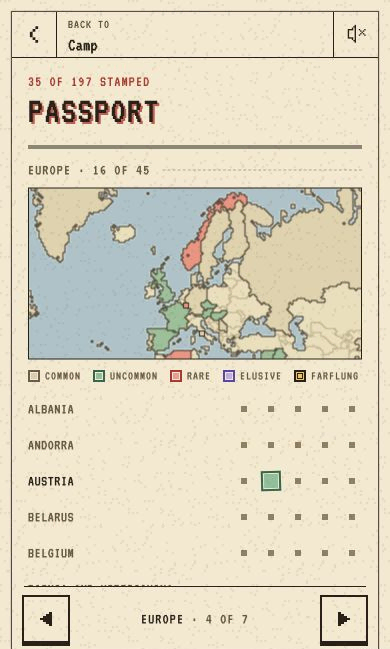
Open a country’s page
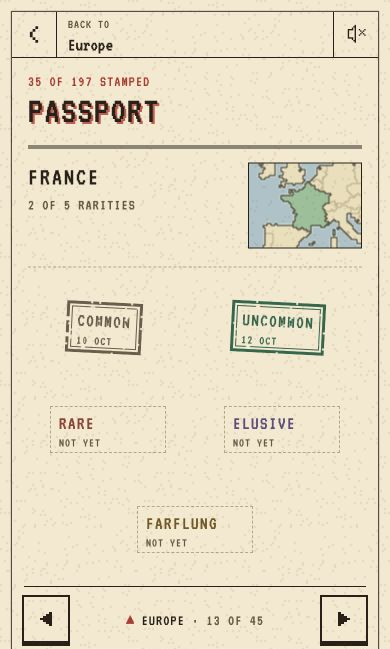
Tap a row or a country on the map to open its own page. Its shape sits above five larger stamp spaces, with the dates you earned them. Tap a stamp to look back at its day and pin. Where the original prompt is available, you can read that too.
The arrows step through the continent’s countries from A to Z. Tap the continent’s name between them to go back to the country’s row in the album.
New stamps land first
The next time you open the Passport, the stamps from your latest day come down large over their countries’ rows, then fly into their squares. Tap to hurry them along. Skip, when shown, goes straight to the finished pages. With reduced motion, the stamps are simply in place.
Stamps you already had are in the album too.